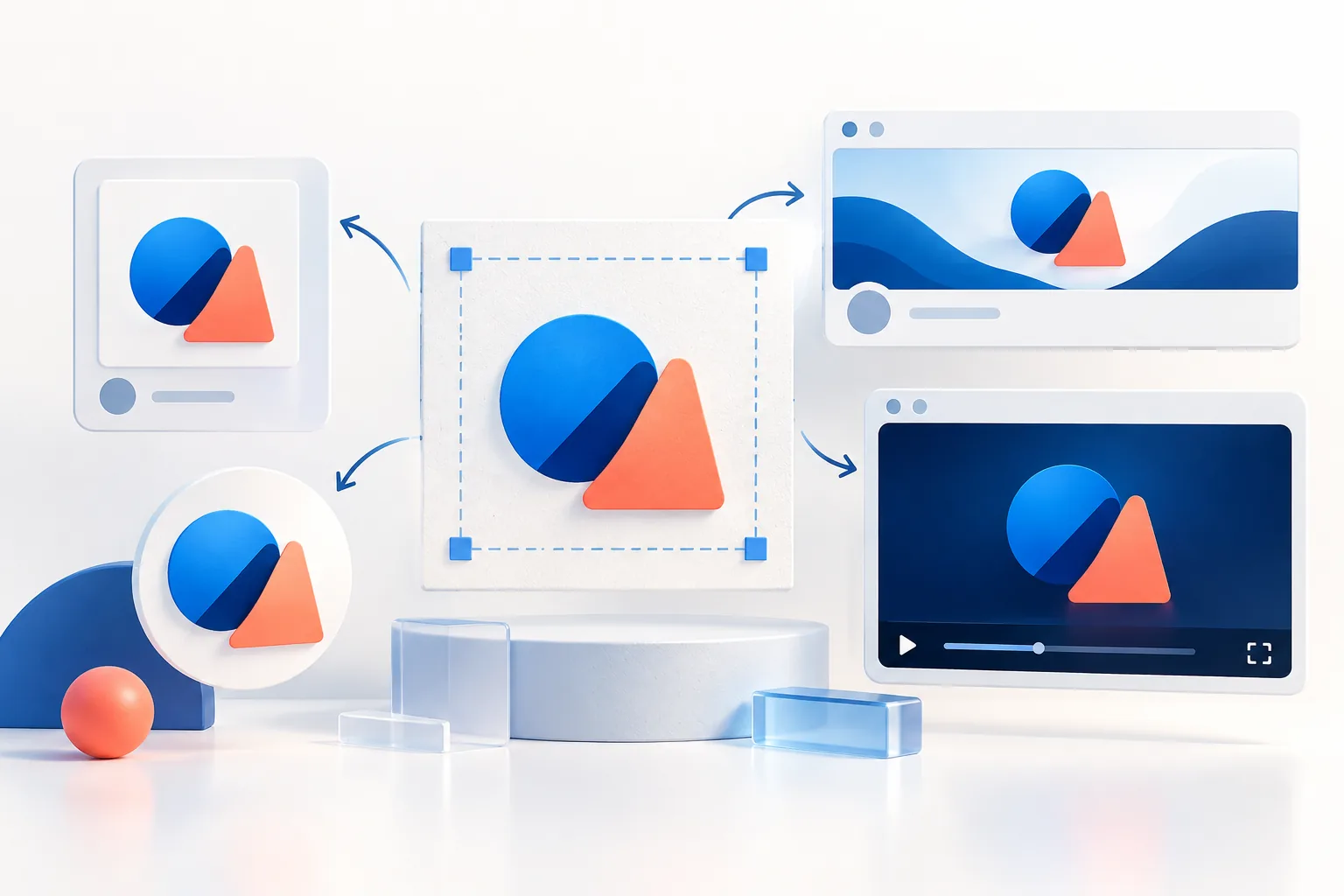
Short answer
Upload a square logo of at least 800 × 800 px for every social profile picture — it satisfies Facebook (320 px minimum), Instagram (320 px), X (400 px), LinkedIn (400 px), YouTube (800 px) and TikTok. Keep the artwork inside the central 70% because all of them crop to a circle. Banners differ by platform: Facebook 851 × 315, X 1500 × 500, LinkedIn company 4200 × 700, LinkedIn personal 1584 × 396, YouTube 2560 × 1440 and Pinterest 16:9.
Key takeaways
- One 800 × 800 square icon covers every profile picture; the platforms downscale it themselves.
- Profile pictures are shown as circles: square artwork must stay within about 70% of the width or its corners are cut.
- Transparent profile pictures sit on the app’s background — a dark logo can vanish in dark mode. Use a solid brand-colour background.
- Banners are cropped differently on phones and desktops; keep the logo and text in the centre band.
- Profile photos overlap banners on X, LinkedIn and Facebook, so keep the bottom-left of banners clear.
Social media logo size table (2026)
These are the sizes we use for client launches. “Upload” is what to export; “Shown at” is roughly how large the image appears in the app, which is why a legible icon matters more than detail. Platforms can change these without notice — the detailed guides link to each network’s own help page.
| Platform | Profile picture upload | Shown at (approx.) | Banner / cover | Detailed guide |
|---|---|---|---|---|
| Facebook Page | At least 320 × 320; we export 800 × 800 | ~170–200 px circle | 851 × 315 (display 820 × 312 desktop, 640 × 360 mobile) | Below |
| 320 × 320 minimum; export 800 × 800 | ~110 px circle on mobile | None (Highlights use 1080 × 1920 stories) | Instagram guide | |
| X (Twitter) | 400 × 400, max 2 MB | ~130 px circle | 1500 × 500, max 5 MB | Below |
| LinkedIn Company Page | 400 × 400 | Square with rounded corners | 4200 × 700 | LinkedIn guide |
| LinkedIn personal | 400 × 400 | Circle | 1584 × 396 | LinkedIn guide |
| YouTube | 800 × 800 | 98 × 98 circle | 2560 × 1440 (min 2048 × 1152, safe area 1546 × 423) | YouTube guide |
| TikTok | Square; we export 720 × 720 | Small circle | None | Below |
| Square; we export 400 × 400+ | Circle | 16:9, min 800 × 450 (we export 1600 × 900) | Below | |
| Google Business Profile | 720 × 720 recommended, 250 × 250 min | Square/circle depending on surface | Cover photo (landscape) | GBP guide |
Every size above is available as a one-click preset in the size presets directory, which opens the Logo Resizer with the canvas already set.
The one-icon strategy for profile pictures
You do not need seven different profile pictures. Make one square icon at 800 × 800 px — your symbol or monogram, centred on a solid brand colour — and upload it everywhere. Each network downsamples it to its own size. Because you are always scaling down, it stays sharp, and your audience sees the same mark on every platform, which helps recognition.
Why 800 px? It is the largest profile size any major network asks for (YouTube), and it comfortably exceeds the minimums of the others. Going larger — 2000 px, say — adds file weight without visible benefit, and some platforms reject files over 2 MB.
The circle-crop math (and why corners disappear)
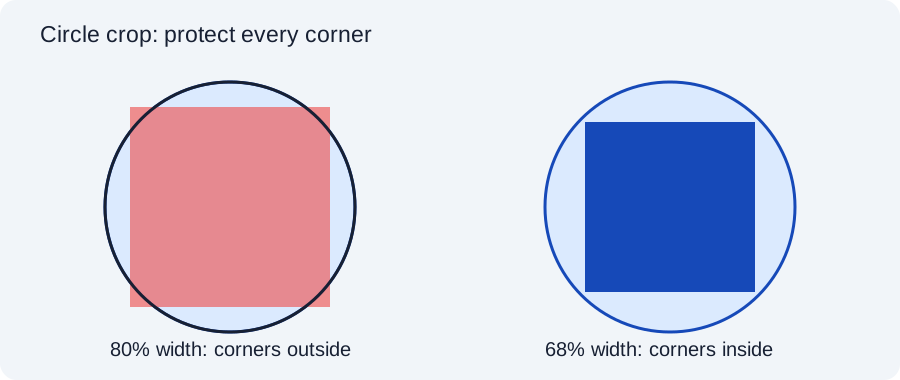
Nearly every network now displays profile pictures as circles, even though you upload a square. A circle drawn inside a square touches only the middle of each edge — the four corners are cut away.
If your logo is itself square (a square badge, a boxed monogram), it must shrink until its corners touch the circle. Geometry gives the limit: a square fits inside a circle when its side is no more than 70.7% of the circle’s diameter (1 ÷ √2). On an 800 px canvas that is a square of about 565 px, leaving roughly 117 px of padding on each side.
Round and wide logos are more forgiving: a round emblem can fill about 90% of the width, while a wide wordmark is limited by its width and usually ends up tiny — which is why we recommend an icon-only version for profiles. The Profile Picture Maker shows a circle-safe guide over your logo so you can see exactly what will be cut.
Transparent vs solid background: the dark-mode trap
It is tempting to upload a transparent PNG as a profile picture. Don’t. A transparent profile picture is drawn on whatever colour the app happens to use behind it — white in light mode, near-black in dark mode, grey in some list views. A navy logo that looks perfect on white practically disappears when a follower switches to dark mode.
A solid background removes the guesswork. Pick your primary brand colour (with a white icon) or white (with a colour icon), and check contrast. If you use a white background, remember that on a white app the circle edge disappears, so the logo appears to float — that is fine as long as the icon itself is bold.
Facebook Page logo and cover
Facebook shows your Page profile picture as a circle of roughly 170–200 px depending on device, overlapping the bottom-left of the cover photo on desktop. Upload the 800 × 800 square icon from above.
The cover is where Facebook catches people out: it displays at 820 × 312 on desktop but 640 × 360 on phones, which is a taller shape. The same image is therefore cropped at the sides on mobile and at the top and bottom on desktop. Facebook recommends uploading 851 × 315 as an sRGB JPG under 100 KB for the fastest load; we design at 1640 × 624 (2×) for sharpness and keep the logo and any text inside the centre 1200 × 460 so both crops keep it.
Avoid putting your logo in the bottom-left of the cover — the profile picture sits there on desktop.
X (Twitter) profile photo and header
X recommends a 400 × 400 profile photo (maximum 2 MB, JPG/PNG/GIF) and a 1500 × 500 header (maximum 5 MB). The profile photo overlaps the lower-left of the header on all devices, and the header is cropped more tightly on phones.
Practical layout for a branded header: fill the 1500 × 500 canvas with a background colour or subtle pattern, place the horizontal logo or tagline in the centre-right third, and keep the bottom-left 400 × 200 area empty. Upload a PNG if the header contains text or a logo — X recompresses JPGs more aggressively, which smudges edges.
Pinterest profile and cover
Pinterest business profiles show a circular profile picture and an optional cover that can be an image or video. The cover uses a 16:9 ratio with a minimum of 800 × 450 px; we export 1600 × 900. Because Pinterest is highly visual, many brands use a lifestyle photo for the cover and let the profile picture carry the logo. If you do put a logo on the cover, keep it centred — the cover is cropped on small screens.
Pins themselves are tall (2:3, e.g. 1000 × 1500). A small logo in a consistent corner of every pin builds recognition when pins are re-shared without your profile attached. Keep it modest: 8–10% of the pin width is enough.
TikTok, Threads and WhatsApp Business
TikTok uses a small circular profile photo and no banner, so the icon-only version is the only one that reads. TikTok’s interface overlays the right-hand side and bottom of videos with buttons and captions — if you add a logo to videos, keep it top-left. See logo watermark size for video.
Threads can import your Instagram profile picture, so the same circle-safe icon applies.
WhatsApp Business shows your profile photo in a very small circle in chat lists. Use the icon on a solid colour; wordmarks are unreadable at that size.
Checklist before you upload anywhere
- Square icon exported at 800 × 800 PNG, solid background, artwork inside the central 70%.
- Banner designed at the platform’s full size (or 2×), logo in the centre band, bottom-left clear.
- Viewed at the real display size — zoom your preview out until the icon is about 100 px wide. If you cannot read it, simplify.
- Checked in light and dark mode.
- Same icon and colours used on every network.
Frequently asked questions
What size should my logo be for social media?
Export one square icon at 800 × 800 px and use it as the profile picture on every network. Banners need platform-specific sizes: Facebook 851 × 315, X 1500 × 500, LinkedIn company 4200 × 700, LinkedIn personal 1584 × 396 and YouTube 2560 × 1440.
Why is my logo cut off in my profile picture?
Most platforms display profile pictures as circles, which cut off the corners of the square you upload. Keep the logo within about 70% of the canvas width, or use a round or icon-only version.
Should my social media profile picture be transparent?
Usually not. Transparent areas are shown on the app’s own background, which changes between light and dark mode. A solid brand-colour background keeps the logo visible everywhere.
What is the Facebook Page logo size?
Upload a square image of at least 320 × 320 px; we recommend 800 × 800. Facebook shows it as a circle roughly 170–200 px wide depending on the device.
What size is the X (Twitter) header?
X recommends 1500 × 500 px with a maximum file size of 5 MB. Keep the bottom-left area clear because the profile photo overlaps it.
Do I need a different logo for each social network?
No. Use the same square icon everywhere for recognition. Only banners and covers need platform-specific layouts.
Tools used in this guide
All tools run in your browser; your image files are not uploaded to our server.
Sources checked for this guide
- Facebook Help: Page profile picture and cover photo dimensions
- X Help: profile photo and header dimensions
- LinkedIn Help: image specifications for Pages
- YouTube Help: channel banner and profile picture
- Pinterest Business Help: personalize your profile
Platform upload rules change. We re-check the sources above when we update a guide; if you spot something out of date, send a correction.