
Short answer
For YouTube, export an 800 × 800 px square icon for the profile picture (shown as a 98 px circle), a 2560 × 1440 px banner (at least 2048 × 1152, 6 MB max) with your logo and text inside the central 1546 × 423 px safe area, 1280 × 720 px thumbnails with a small corner logo, and a 150 × 150 px or larger square PNG for the optional video watermark.
Key takeaways
- Profile picture: 800 × 800 upload, shown as a 98 px circle — use your icon, not the wordmark.
- Banner: design the full 2560 × 1440, but only the central 1546 × 423 is visible on every device.
- Thumbnails: 1280 × 720 (16:9); a logo should be a small, consistent signature, not the main subject.
- Watermark: square PNG, at least 150 × 150 px, under 1 MB — a white icon works on most videos.
- Upload PNG for anything with text or logos to avoid JPEG smudging.
YouTube logo sizes at a glance
| Asset | Upload size | Limits | Where it appears |
|---|---|---|---|
| Profile picture (channel icon) | 800 × 800 px | JPG, PNG, GIF (not animated) or BMP | Shown as a 98 × 98 circle on the channel; smaller beside videos and comments |
| Banner image | 2560 × 1440 px (16:9) | At least 2048 × 1152; 6 MB or smaller | Top of channel page, cropped per device |
| Banner safe area | 1546 × 423 px (centre) | At minimum size: 1235 × 338 | The only part guaranteed visible on every device |
| Video thumbnail | 1280 × 720 px (16:9) | Min width 640 px; check Studio for the current file limit | Search, home feed, suggested videos |
| Video watermark | At least 150 × 150 px, square | PNG, GIF, BMP or JPEG; 1 MB or less | Bottom-right of your videos in the player |
All of these are managed in YouTube Studio → Customization → Branding (profile picture, banner, watermark) and per video in the upload flow (thumbnail).
Channel profile picture: 800 × 800 for a 98-pixel circle
YouTube asks for an 800 × 800 image and renders it as a 98 × 98 circle on your channel page. Next to each video and in comments it is smaller still — often 24–40 px. That is smaller than a thumbnail’s play button, so the icon has to be bold and simple.
- Use your icon or monogram. A horizontal wordmark shrinks to an unreadable line.
- Keep the artwork inside the central 70% so the circular crop does not clip it.
- Use a solid background. YouTube has light and dark themes; transparency gives you a different look in each.
The same 800 × 800 file doubles as your Google account picture when your channel is tied to a Google account, and it is the ideal size for every other network’s profile picture too (see social media logo sizes).
Banner: understanding the 1546 × 423 safe area
The YouTube banner is the most misunderstood asset on the platform. You upload a 2560 × 1440 image — a full 16:9 rectangle — but almost nobody sees all of it:
- TV apps can show the whole 2560 × 1440.
- Desktop shows a wide strip across the middle, about 2560 × 423.
- Phones show only the central 1546 × 423 or less.
The area every device shows is the safe area: 1546 × 423 px in the centre. Your logo, channel name, tagline and upload schedule must live inside it. Everything outside is decoration that fills the space on larger screens.
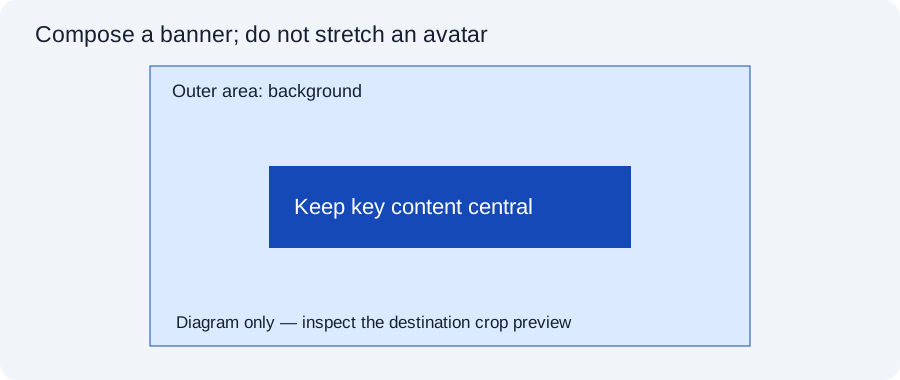
A banner layout that works everywhere
- Create a 2560 × 1440 canvas and fill it edge to edge with a colour, gradient, texture or photo. Never leave transparent or white edges — TV viewers see them.
- Mark the safe area: 1546 px wide by 423 px tall, centred (507 px in from the left and right, 508 px down from the top).
- Place the horizontal logo on the left side of the safe area and a short tagline (“New videos every Tuesday”) on the right. Keep at least 40 px of breathing room from the safe-area edges.
- Keep text large: the safe area is shown as small as ~360 px wide on phones, so a 40 px tall line of text on the banner becomes about 9 px on screen.
- Export PNG under 6 MB. If it is heavier, export JPG at quality 85–90 — the Image Compressor can hit a target size.
YouTube also lets you upload down to 2048 × 1152; at that size the safe area scales to 1235 × 338. There is no reason to use the smaller size unless you are reusing old artwork.
Thumbnails: where a logo helps and where it hurts
Thumbnails are 1280 × 720 px (16:9) and appear everywhere from a TV home screen to a 168 px wide suggestion on a phone. A logo on a thumbnail is a signature, not the headline. The subject — a face, a product, a result — and two or three words of large text do the work of earning the click.
- Size: keep the logo small — around 8–12% of the width (100–150 px on a 1280 px thumbnail).
- Position: top-left or top-right. YouTube overlays the video duration on the bottom-right corner and progress bars along the bottom for watched videos.
- Consistency: the same corner and size on every video builds recognition on the home feed faster than a large logo does.
- Version: a white or single-colour logo with a subtle shadow reads on busy images; the full-colour logo often clashes.
Make a transparent PNG of your logo at around 300 px wide once, and drop it into every thumbnail template. The OG Image Generator also has a 1280 × 720 output if you want simple branded title cards.
Video watermark (branding watermark)
YouTube’s video watermark is a small image that appears in the corner of the player on all your videos, and viewers on desktop can click it to subscribe. It is set once in Studio under Branding, where you choose when it shows: at the end of the video, from a custom start time, or for the entire video.
YouTube asks for a square image of at least 150 × 150 px under 1 MB. The watermark is shown small and semi-transparent, so use a simple white icon on a transparent background — it reads on almost any footage. A full-colour logo with a background box looks heavy. For watermarks that are burned into the video file itself (Shorts, Reels, TikTok), see logo watermark size for video.
Common YouTube branding mistakes
- Logo at the edge of the banner. It is cut off on phones — check the device previews in Studio before saving.
- Text-heavy profile picture. It is unreadable at 98 px and worse beside comments.
- Banner with transparent areas. YouTube fills them with its own background, which changes with the theme.
- Huge thumbnail logo. It competes with the subject and lowers click-through.
- Uploading a small file. Enlarged banners look soft on TVs. Start from a vector or large PNG (why this matters).
Frequently asked questions
What size should a YouTube logo be?
Upload an 800 × 800 px square for the channel profile picture. YouTube displays it as a 98 × 98 px circle, so use a simple icon with padding.
What is the YouTube banner safe area?
On a 2560 × 1440 px banner, the safe area is the central 1546 × 423 px. It is the only part shown on every device, so logos and text must stay inside it.
Why is my YouTube banner cut off on mobile?
Phones display only the central strip of the banner. Anything outside the 1546 × 423 px safe area is cropped away on small screens.
Should I put my logo on YouTube thumbnails?
A small, consistent logo in a top corner helps recognition. Keep it around 8–12% of the width and avoid the bottom-right corner, where YouTube shows the video length.
What size is the YouTube watermark?
A square image of at least 150 × 150 px and 1 MB or less. A white icon on a transparent PNG works on most footage.
What is the maximum file size for a YouTube banner?
6 MB. If your PNG is larger, export a high-quality JPG or compress the PNG.
Tools used in this guide
All tools run in your browser; your image files are not uploaded to our server.
Sources checked for this guide
- YouTube Help: manage your channel banner and profile picture
- YouTube Help: channel branding (watermark)
- YouTube Help: add video thumbnails
Platform upload rules change. We re-check the sources above when we update a guide; if you spot something out of date, send a correction.