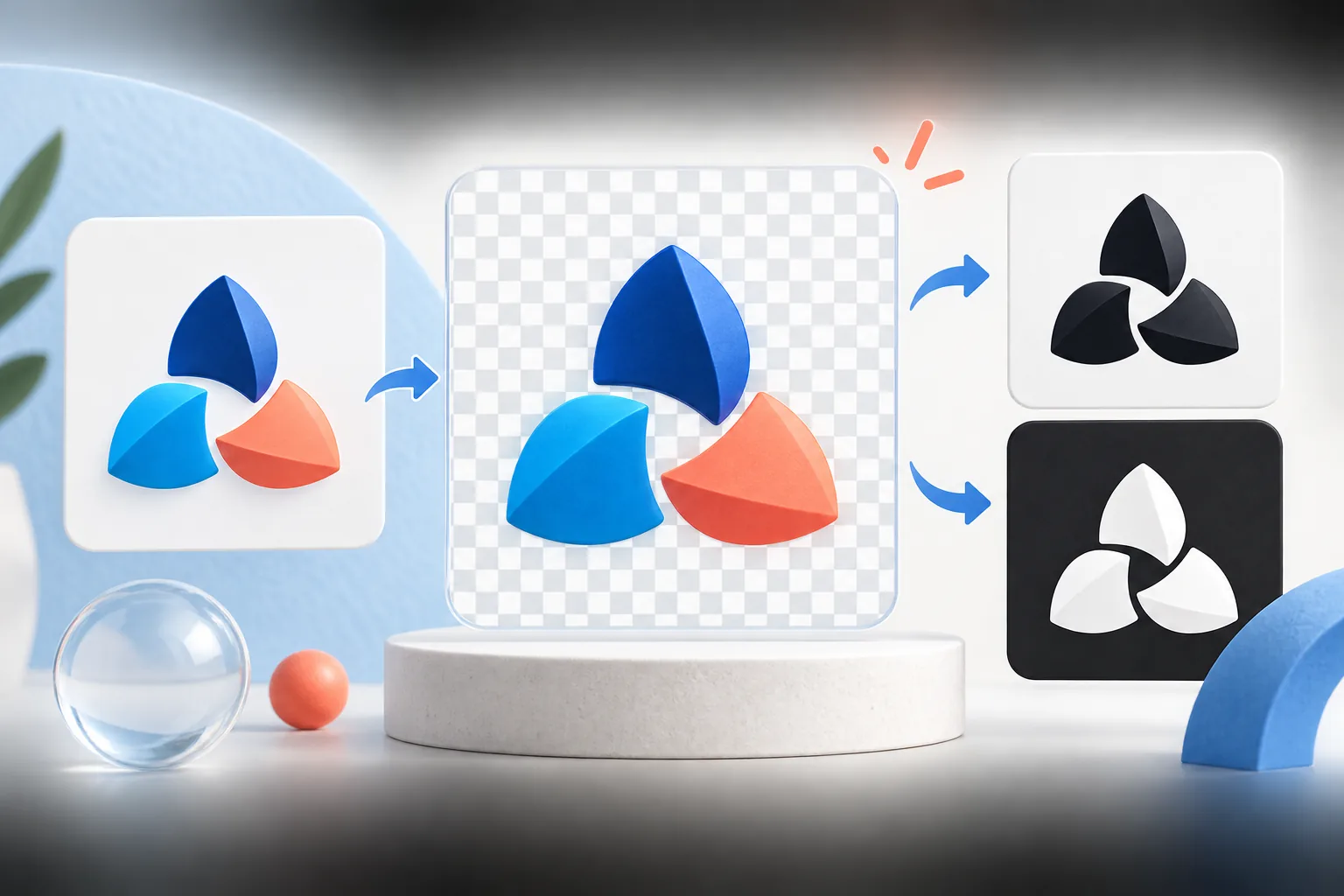
Short answer
To make a logo background transparent without Photoshop, open it in a browser-based background remover, let it detect the background colour from the corner, raise the tolerance until the background disappears (typically 20–45 for white JPGs), turn off “connected edges only” if the background also shows through letter holes, trim 1 px from the edge to remove any halo, and download as PNG. JPG cannot store transparency, so the result must be PNG or WebP.
Key takeaways
- Transparency lives in an alpha channel — JPG does not have one, so always save as PNG (or WebP).
- A checkerboard in a downloaded image is often fake: it is painted pixels, not transparency.
- Solid, flat backgrounds remove cleanly; photos and gradients need an AI cutout tool.
- White halos come from anti-aliased edges blended with the old background — fix with edge trim or start from a better file.
- Letter holes (the inside of O, A, e) need “connected edges only” turned off.
What “transparent background” actually means
Every pixel in a PNG can carry four values: red, green, blue and alpha. Alpha is opacity — 255 is solid, 0 is fully see-through, and values in between are partly transparent. A “transparent logo” is simply a file where the background pixels have alpha 0 and the logo pixels have alpha 255, with smooth in-between values along the edges so curves look soft rather than jagged.
JPG has no alpha channel at all. That is why every JPG logo has a background (usually white), and why you must save the result as PNG or WebP to keep the transparency you create.
First: check whether your logo is already transparent
A surprising number of “transparent logo PNG” downloads are fakes: the grey-and-white checkerboard you see is painted into the image. Quick ways to tell:
- Open the file in a browser tab. A real transparent PNG shows the browser’s background (white or dark grey) — not a checkerboard.
- Drop it on the Background Remover and switch the edge preview to Dark. If you see a checkerboard or white box on the dark preview, the background is real pixels.
- Check the file type. If it ends in
.jpgor.jpeg, it cannot be transparent, whatever the file name says.
Step-by-step: remove a solid background in your browser
This works for any logo on a flat colour — white, black, or a single brand colour — which covers the vast majority of logos sent as JPGs.
- Load the logo. Open the Background Remover and drop in the file (PNG, JPEG or WebP up to 10 MB). Processing happens on your device; nothing is uploaded.
- Confirm the target colour. The tool samples the top-left corner. If the corner is not background (say the logo touches the edge), click Pick from image and click on the background.
- Tune the tolerance. Tolerance controls how similar a pixel must be to the target colour to be removed. Start at the default (32). For a clean white background from a design tool, 15–25 is usually enough. For a JPG with compression noise, 35–45 works better. Too high and pale parts of your logo start to vanish.
- Decide on connected edges. With Only remove connected edges on, the tool only removes background that is connected to the border — perfect for protecting white parts inside your logo (a white star in a blue circle). If the enclosed holes of letters like O, A, B, e and g still show the old background, turn it off to remove that colour everywhere.
- Clean the edges. Switch the preview to Dark. If you see a thin light outline, set Edge trim to 1 px (occasionally 2) and Edge smoothing to 1–2.
- Download the transparent PNG and test it on the backgrounds you will actually use.
The white halo problem (and how to fix it)
When a logo is drawn on white, the pixels along every curved edge are a blend of logo colour and white — that is anti-aliasing, and it is what makes edges look smooth. Remove the pure white, and those blended pixels stay behind as a pale, slightly jagged outline. On a white page you never notice. On a dark website header or a photo, it looks like a sticker cut out with blunt scissors.
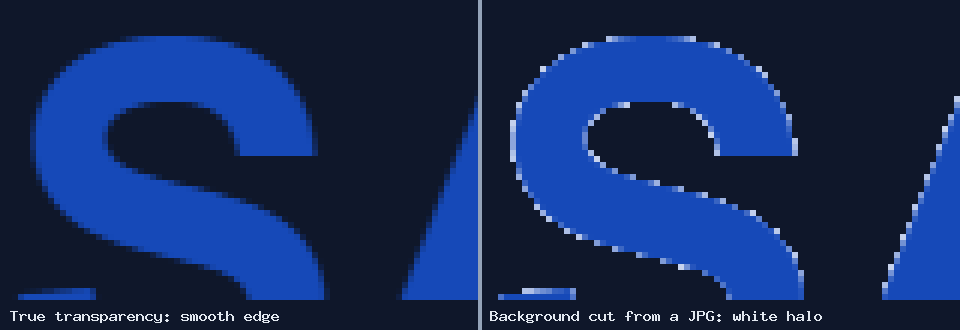
Fixes, from best to quickest:
- Get a real transparent original. Vector files (SVG, AI, EPS, PDF) export perfect transparent PNGs with no halo. Always check for one first.
- Edge trim. Shaving 1 px inward removes most of the blended pixels. It slightly thins the logo, which is invisible on anything but very fine lines.
- Remove at a larger size, then shrink. If you have a big JPG, remove the background at full size and then resize down. The halo shrinks to a fraction of a pixel.
- Match the destination. If the logo will only ever sit on one dark colour, you can use that colour as the background instead of transparency — no halo possible.
When this method will not work
Colour-based removal needs a background that is one flat colour, clearly different from the logo. It struggles with:
- Gradients or textured backgrounds — the colour changes across the image, so no single tolerance catches it all.
- Photos — a logo on a shop sign, a T-shirt or a van. Use an AI cutout tool (Canva Pro, Adobe Express, remove.bg), then clean up with this tool.
- Logos that contain the background colour — a white logo element on a white background that touches the edge. Use connected edges on, and pick carefully.
- Heavily compressed JPGs — blocky artefacts create speckles around edges. A higher tolerance and edge smoothing help; a better source helps more.
Other free ways to do it
- macOS Preview: Markup toolbar → Instant Alpha, drag over the background, press Delete, and export as PNG. Works well for flat backgrounds.
- Microsoft PowerPoint / Word: Picture Format → Color → Set Transparent Color. Quick, but it removes only the exact colour, so JPG edges tend to look rough.
- GIMP (free desktop editor): Layer → Transparency → Color to Alpha gives excellent edges because it removes the colour partially from blended pixels — the best free fix for halos if you are comfortable with GIMP.
- Canva: the one-click background remover is a paid Pro feature, as is downloading a design with a transparent background.
Using a transparent logo in Canva
Canva handles transparent PNGs well once uploaded — the logo sits on any design background without a box. Some tips:
- Upload the PNG, not a JPG copy. Canva keeps the transparency.
- Upload a large file (1000 px+ wide) so it stays sharp when you scale it up in a design.
- If you are on Canva’s free plan and need to download a design with transparency, you will need Pro. A workaround for logo-only needs: do the transparent export here, and use Canva for the full designs that sit on a solid background.
- Check the logo on both a light and a dark Canva background before using it in a template.
After you have the transparent PNG
A transparent master unlocks the rest of your kit: white and black versions for dark and print uses, clean favicons, and header logos that sit on any background. Keep the transparent master at its full size and export smaller copies from it with the Logo Resizer.
Frequently asked questions
How do I make a logo background transparent for free?
Use a browser-based background remover: load the logo, let it detect the background colour, adjust tolerance until the background disappears, clean the edges, and download a PNG. It works best on solid, flat backgrounds.
Can a JPG have a transparent background?
No. JPG has no alpha channel. Convert the logo to PNG or WebP after removing the background to keep transparency.
Why does my transparent logo have a white outline?
The edge pixels were blended with the old white background. Trim 1 px from the edge, remove the background at a larger size before shrinking, or export a fresh PNG from a vector original.
How do I keep the white inside my logo while removing the white background?
Turn on “Only remove connected edges”. The tool then removes only background connected to the image border and leaves enclosed white areas inside the logo intact.
Can I remove a background in Canva for free?
Canva’s background remover and transparent-background downloads are Pro features. You can prepare the transparent PNG with a free tool and upload it to Canva on any plan.
Why does my “transparent PNG” show a checkerboard?
The checkerboard is painted into the image, so it is not actually transparent. Remove it as a background, or find a genuine transparent original.
Tools used in this guide
All tools run in your browser; your image files are not uploaded to our server.
Sources checked for this guide
- MDN: image file type and format guide (PNG alpha, JPEG)
- Canva Help: upload formats and requirements
- GIMP documentation: Color to Alpha
Platform upload rules change. We re-check the sources above when we update a guide; if you spot something out of date, send a correction.