
Short answer
Most website header logos display 40–80 px tall on desktop (roughly 150–300 px wide for a horizontal logo) and 32–48 px tall on mobile. Export an SVG if you have a vector, or a PNG/WebP at 2× the display size — for example 400 × 120 px for a logo shown at 200 × 60 — and always set width and height in the HTML so the header does not shift while loading.
Key takeaways
- Size by height, not width: 40–80 px tall on desktop, 32–48 px on mobile covers most sites.
- Export raster logos at 2× the display size; SVG avoids the question entirely.
- Trim transparent padding from the file — it makes the logo look smaller than intended.
- Set width and height attributes to prevent layout shift, and never lazy-load the header logo.
- Transparent headers over hero images need a white logo version.
How big should a header logo be?
Header logos are best sized by height, because the header’s height is what you are designing around. These are common ranges we use for small-business sites:
| Context | Display height | Typical width (3:1 logo) | Export at 2× |
|---|---|---|---|
| Standard desktop header | 50–70 px | 150–210 px | 300–420 × 100–140 |
| Tall/brand-led desktop header | 70–100 px | 210–300 px | 420–600 × 140–200 |
| Compact / sticky header after scroll | 32–44 px | 96–132 px | Same file, scaled by CSS |
| Mobile header | 32–48 px | 96–144 px | Same file, scaled by CSS |
| Footer | 30–50 px | 90–150 px | Often the white version |
Very wide logos (6:1 and wider) become thin at these heights. On mobile, a 6:1 logo at 40 px tall is 240 px wide and can collide with the menu button — consider a shorter lockup or the icon plus a shortened name.
The 2× rule for sharp logos
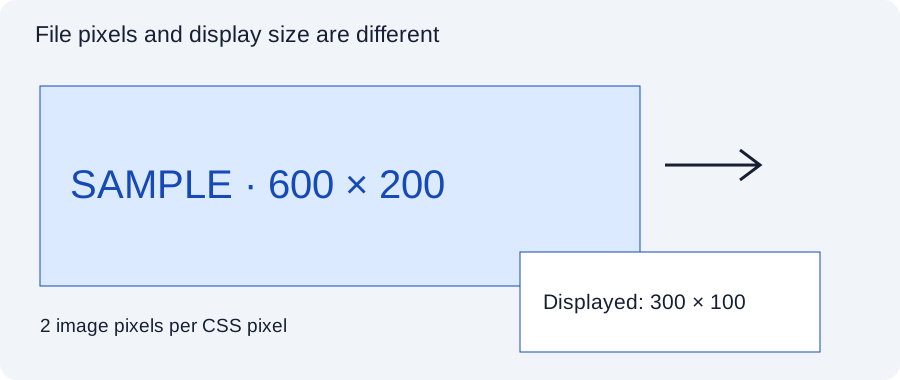
Phones and most modern laptops use high-density screens with 2 or 3 physical pixels per CSS pixel. A logo displayed at 200 × 60 CSS px is drawn with 400 × 120 or 600 × 180 physical pixels. If the file is only 200 × 60, it is enlarged and looks soft — the most common reason clients tell us their logo “looks blurry on my phone”.
Export at 2× and tell the browser the display size. 3× is rarely worth it for logos; the difference is hard to see and the file is heavier. An SVG is sharp at every density automatically — see PNG vs SVG for websites.
Trim the padding before exporting
Many logo files include a wide transparent border — sometimes because they were exported from an artboard. When the theme sets the logo to 60 px tall, that 60 px includes the empty border, so the actual artwork may be only 40 px tall. Trim the canvas close to the artwork (a few pixels of margin is fine) and add spacing with CSS instead. The Logo Resizer lets you set padding to 0 and an exact canvas.
HTML that keeps the header fast and stable
<a href="/" class="site-logo" aria-label="Brightside Bakery home">
  <img src="/img/logo-400x120.png" width="200" height="60" alt="Brightside Bakery">
</a>- width/height reserve the space before the image loads, preventing layout shift (a Core Web Vitals metric).
- No
loading="lazy"on the header logo — it is visible immediately. - CSS for responsive sizing:
.site-logo img { height: 60px; width: auto; }on desktop andheight: 40pxin a mobile media query. Because the file is 2×, both sizes stay sharp. - Alt text: the business name (or “Brightside Bakery home” on the link). No keyword stuffing.
Transparent and sticky headers
Transparent headers sit on top of a hero image or video. Your normal dark logo may disappear on a dark photo, so themes often allow a second logo for the transparent state — upload a white version. If the hero image changes (sliders, different pages), test the logo on each.
Sticky headers shrink after scrolling. Scaling the same 2× file down with CSS is fine; just check the shrunken logo is still legible — around 32 px tall is the practical minimum for a wordmark.
Platform settings
WordPress
In classic themes: Appearance → Customize → Site Identity → Logo. WordPress shows a crop dialog — choose Skip cropping if your file is already trimmed and proportioned. Many themes add a “logo width/height” control in the header settings. In block themes: edit the header template part in the Site Editor and select the Site Logo block, which has a width setting. Uploading an SVG requires a sanitising plugin (see the SVG guide).
Squarespace
Upload the logo in the site header editor (Edit → header → Site title & logo), then adjust the logo height slider for desktop and mobile separately. Squarespace scales by height, so a file with transparent padding looks small — trim it first.
Wix
Add the logo as an image element in the header and resize it on the canvas; switch to the mobile editor to set a separate size. Upload a 2× PNG or an SVG (Wix supports SVG uploads as vector art).
Shopify
Covered in detail in our Shopify logo guide: upload at 2× the logo-width setting.
Checklist
- Logo trimmed, exported as SVG or 2× PNG/WebP, under ~30 KB.
- Display height set for desktop (50–70 px typical) and mobile (32–48 px).
- width and height attributes in the HTML; no lazy loading.
- White version ready for transparent/dark headers and the footer.
- Checked on a real phone: legible, not crowding the menu.
- A matching favicon installed.
Frequently asked questions
What size should a logo be on a website header?
Typically 50–70 px tall on desktop and 32–48 px tall on mobile, with the width following the logo’s proportions. Export the file at twice the display size, or use SVG.
Why is my website logo blurry on mobile?
Phones have high-density screens. If the logo file is exactly the display size, it gets enlarged. Upload a 2× version or an SVG.
What resolution should a website logo be?
Twice the size it is displayed at, for example 400 × 120 px for a logo shown at 200 × 60 px. Resolution in DPI does not matter for websites.
Why does my logo look small even though I set a large size?
The file probably contains empty transparent space around the artwork. Trim the canvas close to the logo.
Should I use SVG or PNG for my header logo?
SVG if you have a genuine vector logo; it is sharp everywhere and very small. Otherwise PNG or WebP at 2× display size.
Tools used in this guide
All tools run in your browser; your image files are not uploaded to our server.
Sources checked for this guide
- web.dev: Cumulative Layout Shift
- web.dev: serve responsive images
- WordPress documentation: Site Logo block
- Squarespace Help: adding a site logo
Platform upload rules change. We re-check the sources above when we update a guide; if you spot something out of date, send a correction.